Starting August 6, 2026, Blackboard will launch updated course navigation features across ALICE. These changes streamline how course materials are displayed, eliminate overlapping side-panels, and create a cleaner, distraction-free environment for both faculty and students.
Full-Page Navigation for Content Areas
Opening folders, documents, modules, or assessments now launches full-page views on stable, dedicated pages rather than sliding narrow panels over the course outline. This layout gives faculty an expanded, uncluttered workspace for drafting instructions, formatting content, and embedding media, while providing students with superior full-screen readability for articles, videos, and coursework across all devices.
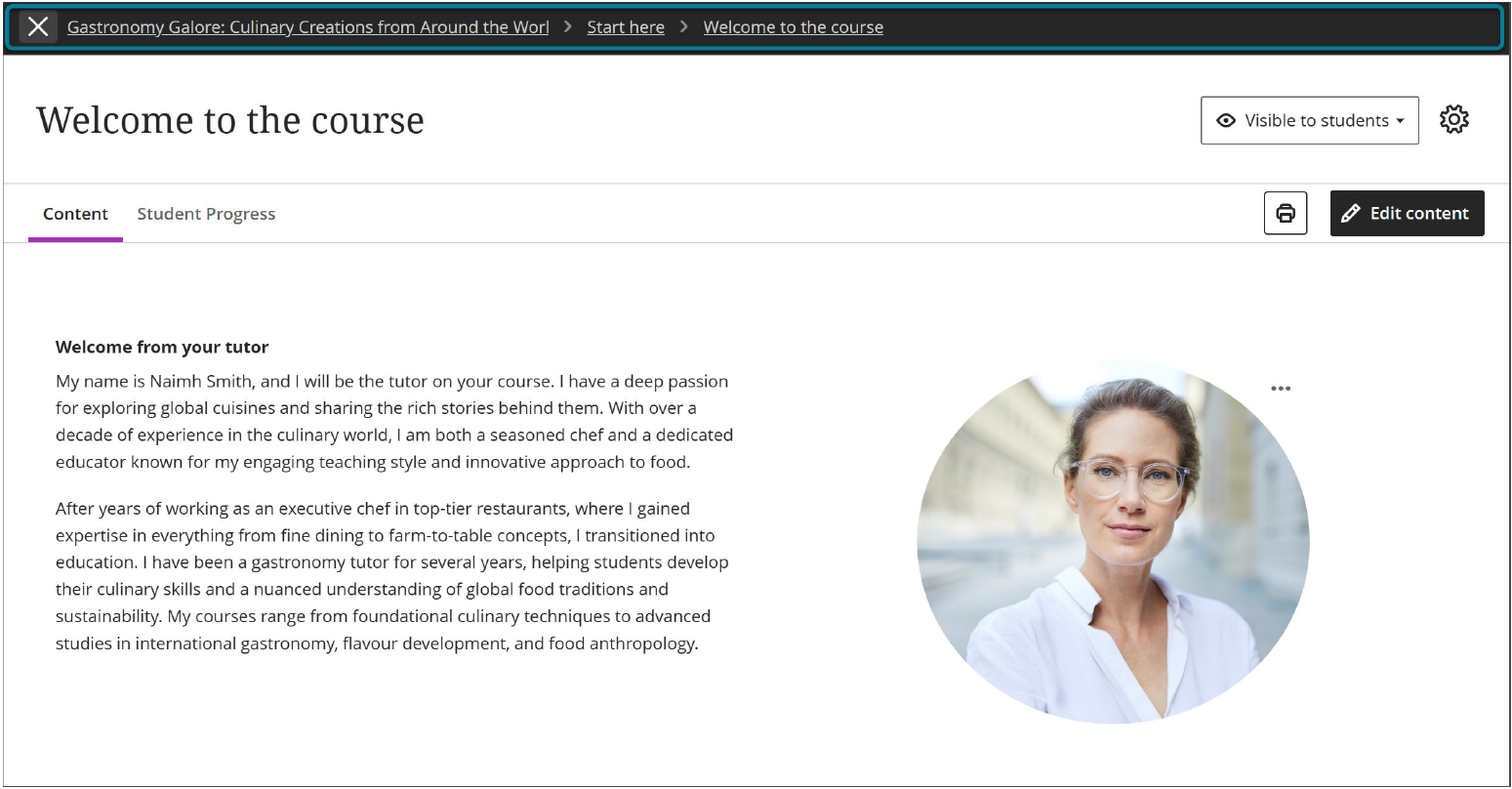
1. BREADCRUMB NAVIGATION TRAILS
Before: Navigating deep inside folders meant stacking multiple side-panels. Getting back to a main module required repeatedly closing panels or hitting browser back buttons.

After: ALICE displays a persistent breadcrumb trail at the top left of content pages

2. INTENTIONAL EXIT BUTTON
Before: The close icon was a small purple "X" positioned near content editing tools, making it easy to accidentally exit a page while editing or reading.
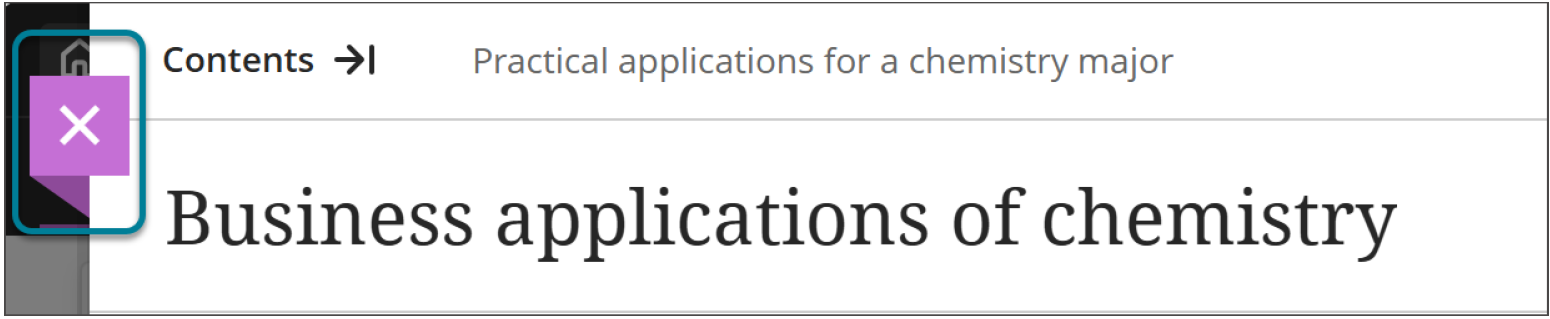
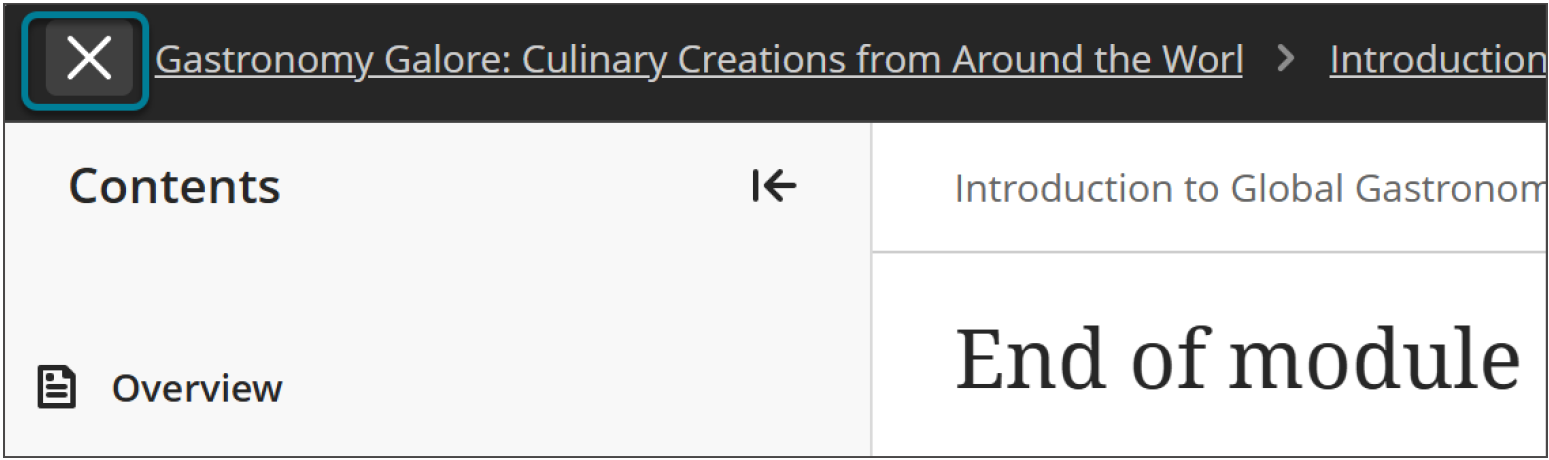
After: Blackboard replaces the small "X" with a prominent, clearly labeled Exit / Close button isolated in the top navigation bar.
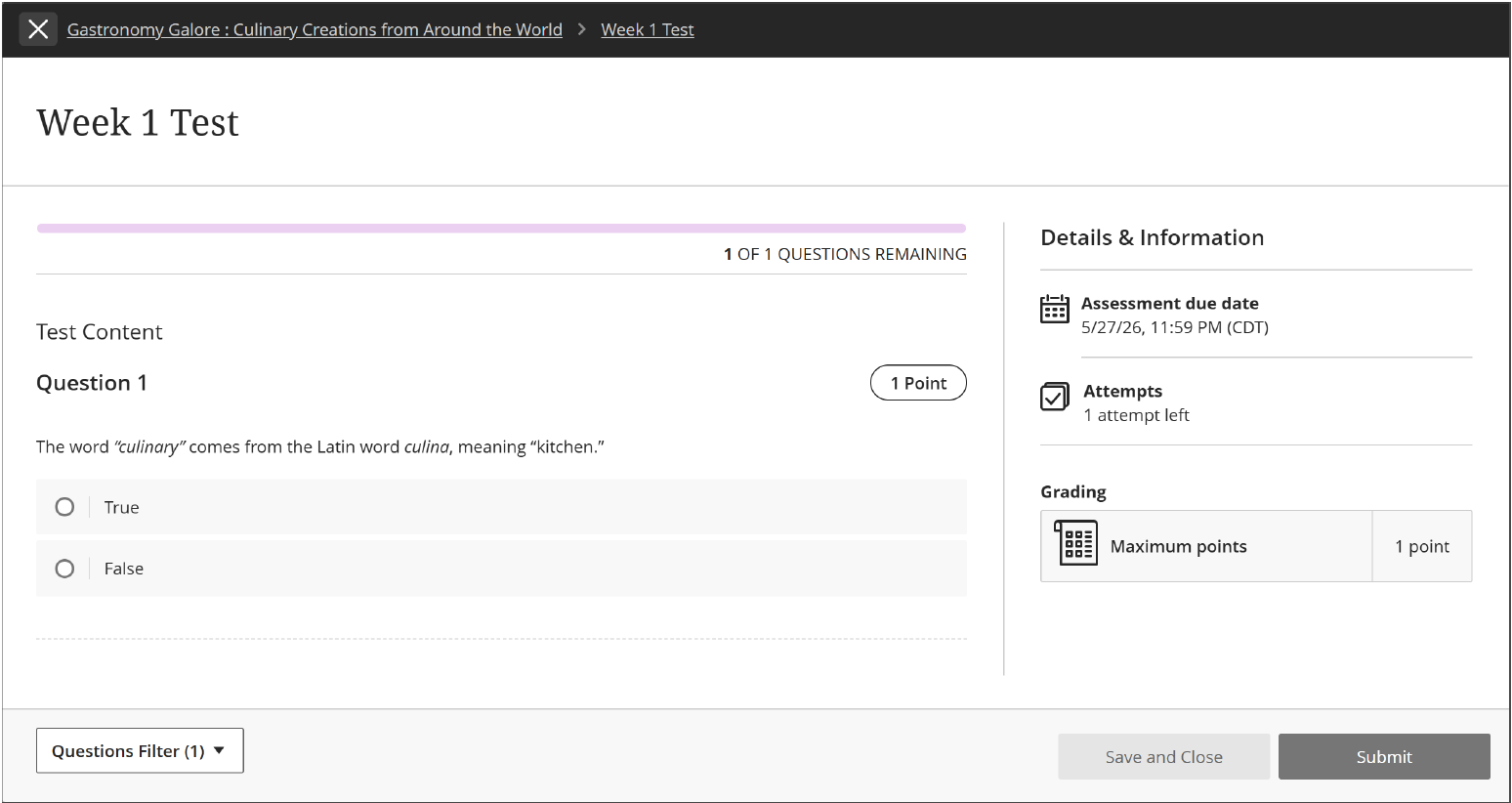
3. STUDENT FOCUS STATE FOR ASSESSMENTS
Before: Assessments launched within the standard course shell, keeping top headers, side navigation, and extra menus visible during tests.
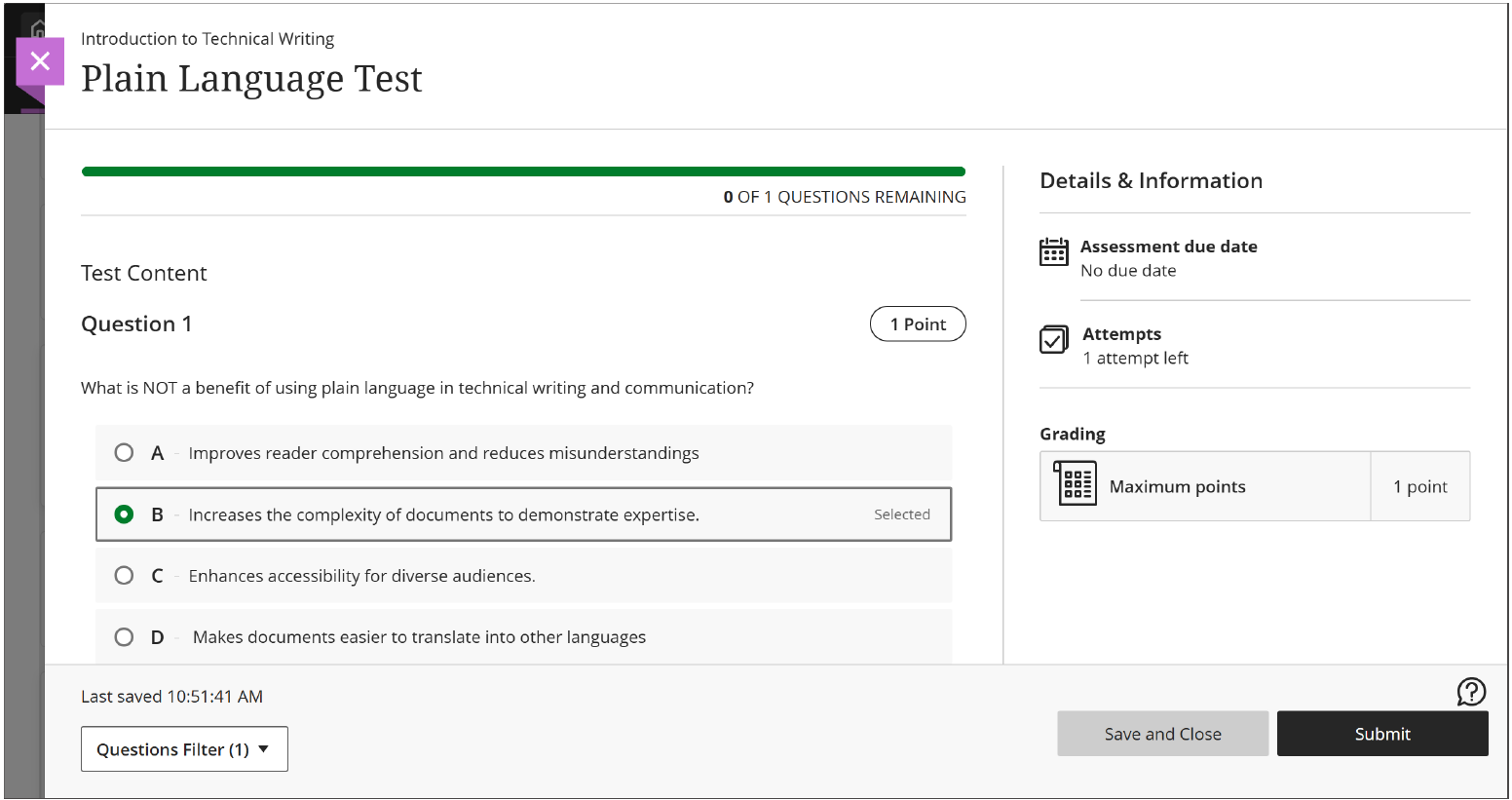
After: When students begin an assessment, Blackboard automatically launches a non-locking Focus State that minimizes menus and sidebars to reduce distractions and misclicks. Students gain a focused view without browser restrictions, while faculty gain a seamless test environment that leaves all existing exam settings, timers, and rules unchanged.
SUMMARY OF IMPACT
| Feature | Old Experience (Before August 6, 2026) | New ALICE Experience (Starting August 6, 2026) |
| Content Viewing | Overlapping, sliding side-panels over course outline | Full, stable page views for all content |
| Deep Navigation | Layered panels requiring multiple close clicks | Clear breadcrumb trails with 1-click jumps |
| Exit Control | "X" positioned near editing controls | Prominent, deliberate Exit button in top bar |
| Assessments | Standard interface with full top headers | Automated distraction-free Focus State |
Need Support or Consultation?
If you have questions, need assistance, or would like to request a consultation, please email us at alice@aim.edu.
Was this article helpful?
That’s Great!
Thank you for your feedback
Sorry! We couldn't be helpful
Thank you for your feedback
Feedback sent
We appreciate your effort and will try to fix the article